
Before Your First Flight
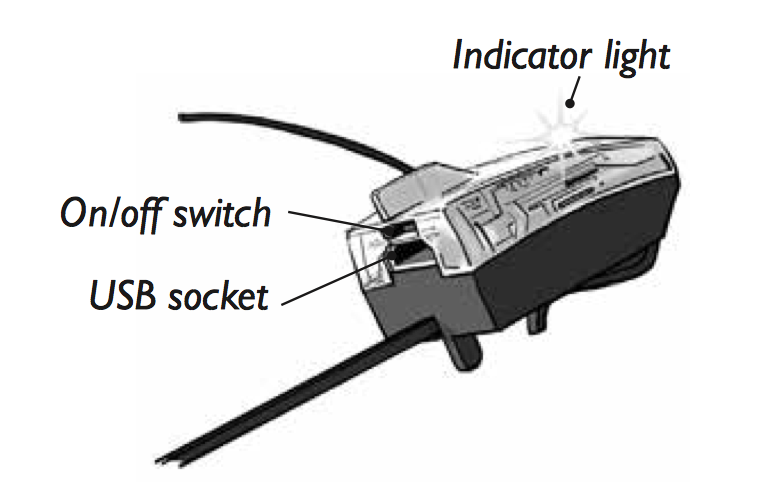
1. Turn on the Smart Module, the indicator light starts to flash.
2. Charge the Smart Module’s battery. Important: If the micro-USB plug is inserted into the Smart Module incorrectly, the plug can damage the module.
- Note: switch must be in the ON/CHRG position for charging.
- Insert the micro-USB plug into the socket on the rear of the Smart Module.
- Plug the other end of the USB cable into any USB power source (such as a standard smartphone USB wall adapter, a computer or a portable power bank.
The indicator light on the Smart Module starts to flash rapidly. After about 20 minutes, the Smart Module is fully charged, and the indicator light stops flashing rapidly.
3. On your smartphone, turn on Bluetooth.
4. For Android smartphones, enable "location" on your phone.
5. Turn off WiFi in your smartphone, because WiFi can interfere with the Bluetooth connection.
6. Download the PowerUp 3.0 app for your smartphone: Apple Devices or Android Devices
7. Open the PowerUp smartphone app. The app searches for the Smart Module and automatically prepares it for the first flight. The indicator light on the Smart Module double-flashes. This onetime process takes up to 3 minutes.
Goto the next step - Before Every Flight
Back to the PowerUp 3.0 User Guide
Comments
0 comments
Please sign in to leave a comment.